

Add knowledge
Give your agents documents, pages, and data to answer from.
Add knowledge
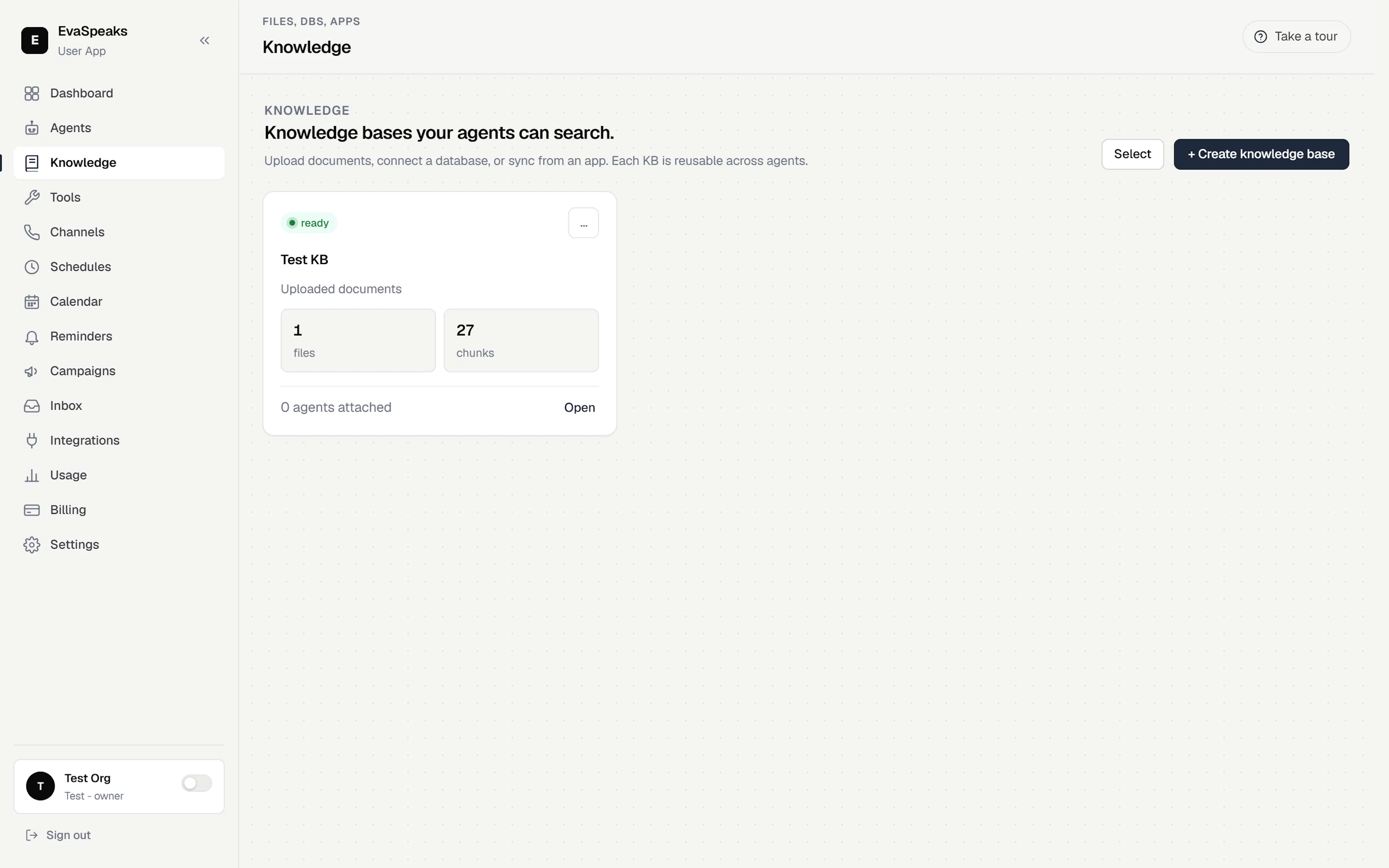
Knowledge is what your agent draws on to answer questions accurately — your pricing, policies, FAQs, and product details. You gather sources into a Knowledge Base, and a Knowledge Base is reusable: build it once and attach it to as many agents as you like (for example, a Sales agent and a Support agent can share the same material).
Add a source
- Go to Knowledge in the sidebar and open (or create) a Knowledge Base.
- Add a source. The supported types are:
| Source type | What it pulls in |
|---|---|
| Uploaded documents | Files you upload, such as PDFs and documents. |
| Website | Content imported from a website URL. |
| Google Doc | A document from your connected Google account. |
| Google Sheet | A spreadsheet from your connected Google account. |
| Connected database | Records from a database you've connected. |
- Wait for the source to finish. Sources process in the background and show a status — once it's ready, your agents can answer from it. If a source shows failed, fix or re-run it before relying on that content.
Note — Google Doc and Google Sheet sources need a connected Google account with Drive access. Connect it first — see Connect your tools.
Attach a Knowledge Base to an agent
Open the agent editor and go to the Knowledge tab. Select which Knowledge Base that agent can use. Because a Knowledge Base is reusable, different agents can share one — or each can have its own.
Keep it fresh
When you change a linked Google Doc, Sheet, website, or database, re-sync the source so the agent answers from the latest version. A source is only answerable once processing succeeds, so if a sync fails, re-run it before relying on the new content.
Tip — Smaller, focused sources answer more accurately than one giant document. Split long material by topic.