

Create your account
Sign up, verify your email, and set up your workspace and plan.
Create your account
Before you begin — have these ready: your business name and website, and a work email you can check for a verification link. If you'll take bookings or connect a CRM later, make sure you can sign in to those accounts (your calendar or CRM) when the time comes.
1. Sign up
- Open the app and click Sign up.
- Fill in:
- Organization — your business name (this becomes your workspace).
- Website — your company URL (used later to help draft your agent).
- Full name, Email, and a Password.
- Tick I agree to the Terms of Service and Privacy Policy, then click Create account.
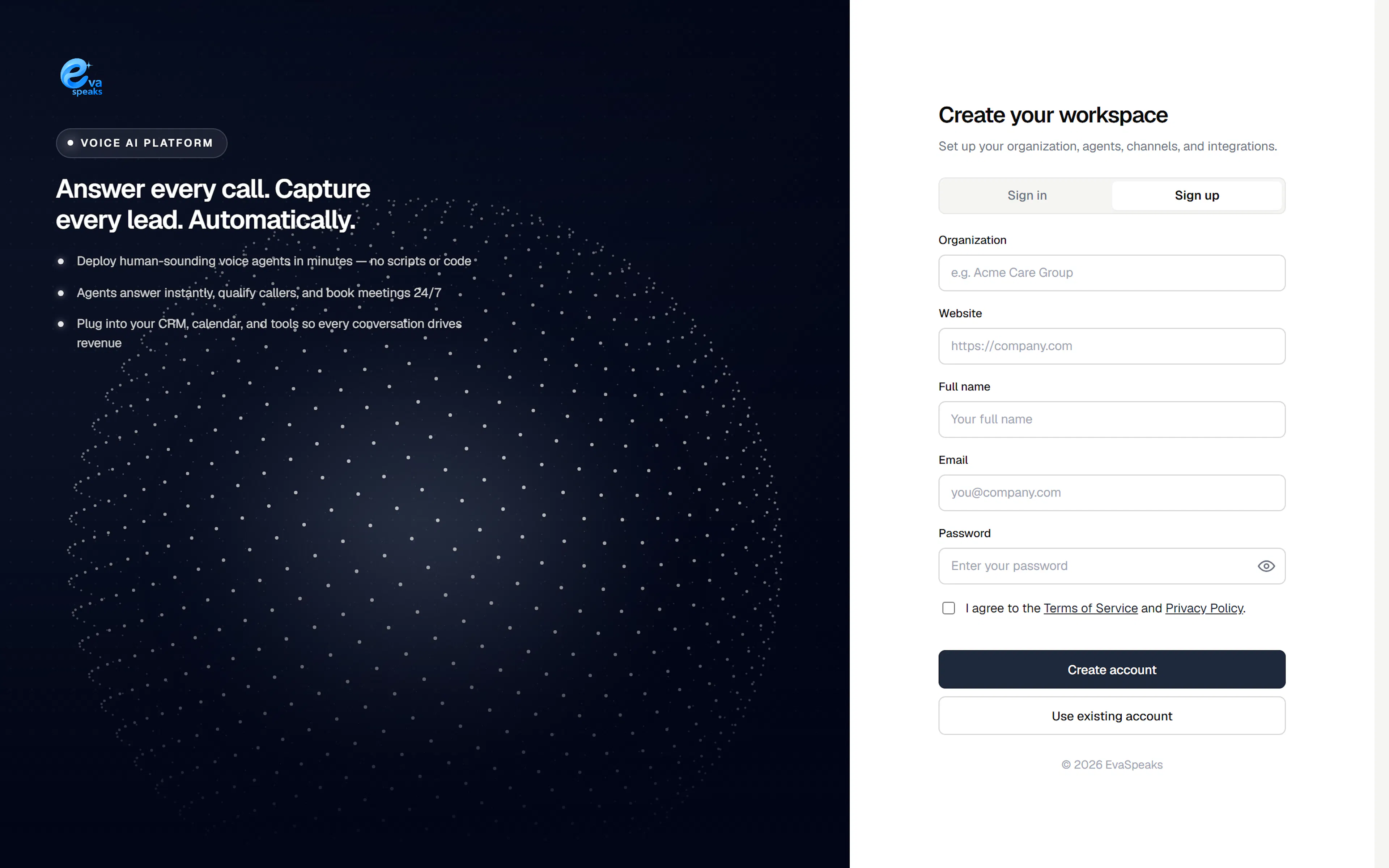
2. Verify your email
We email you a verification link. Open it to confirm your address and finish creating your workspace. If it doesn't arrive within a minute, use Resend verification email on the sign-in screen.
3. Choose your plan
The first time you enter your workspace, you'll see Choose your plan. Pick the plan that fits your call volume — you can start on a trial and change plans later from Billing.
Tip: Trials include monthly allowances. When you exceed them (or the trial ends), the plan's normal rates apply. See Plans, usage & billing.
4. You're in
After choosing a plan you land on the Dashboard. The left sidebar is your map:
| Section | What it's for |
|---|---|
| Dashboard | Live health and recent activity |
| Agents | Build and deploy your voice agents |
| Knowledge | Files, documents, and pages your agents answer from |
| Tools | Skills your agents can use during a call |
| Channels | Phone numbers and other ways callers reach agents |
| Schedules | Open / closed business hours |
| Calendar / Reminders / Campaigns | Bookings, follow-ups, and outbound calling |
| Inbox | Contacts and conversations |
| Integrations | Connect calendar, CRM, and other apps |
| Usage / Billing | Metrics, costs, plans, and invoices |
| Settings | Workspace, team, and security controls |
5. Take the guided tour
The first time you sign in, a short guided tour walks you through the sidebar and points you to where you build your first agent. You can skip it anytime.
To replay it later, click Take a tour in the top bar (the ? help control). It's there whenever you want a refresher.