

Connect a phone number
Give callers a number to reach your agent.
Connect a phone number
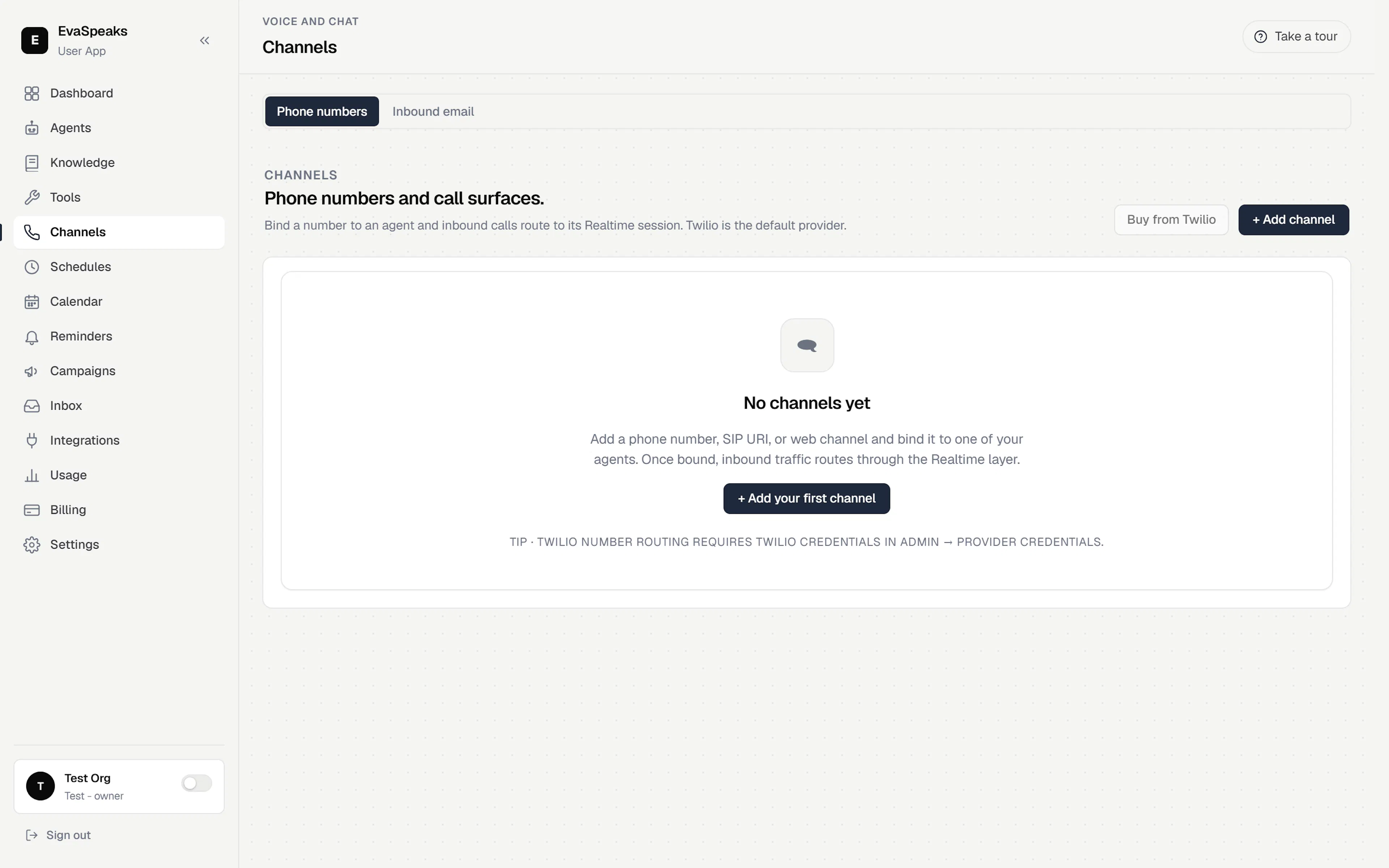
A phone number is how callers reach an agent. Open Channels in the sidebar — it has two sub-tabs, Phone numbers and Inbound email. Start on Phone numbers.
Get a number
You have two ways to add one:
- Buy from Twilio — get a brand-new phone number in one step.
- + Add channel — bring something you already have: an existing phone number (in E.164 format, e.g.
+14155550100), a SIP URI, or a web channel.
Once the number is added, it appears in your list of connected channels.
Bind it to an agent
A number does nothing until it's pointed at an agent. In the channel's Bound to dropdown, pick the Live agent that should answer. Inbound calls on that number now route straight to it.
Call the number to confirm the agent picks up and responds as expected.
Per-number actions
Open a number's ⋯ menu for its options:
- Reconnect routing — re-establish inbound call routing. Use this only if calls aren't reaching the agent.
- Remove from workspace — take the number out of your workspace.
- Release number — permanently give the number up. You can't get it back.
Inbound email
Prefer email? Switch to the Inbound email sub-tab to give your agent an address that turns incoming email into conversations — an alternative channel to a phone number.
Note — business hours are set alongside your reminders in Appointments & reminders. To add a chat or voice widget to your website, see the next page.