

Test & go live
Test your agent by voice and chat, pass the publish checks, and take it Live.
Test & go live
Before your agent takes real calls, try it yourself, run your quality checks, then take it Live.
Test in the editor
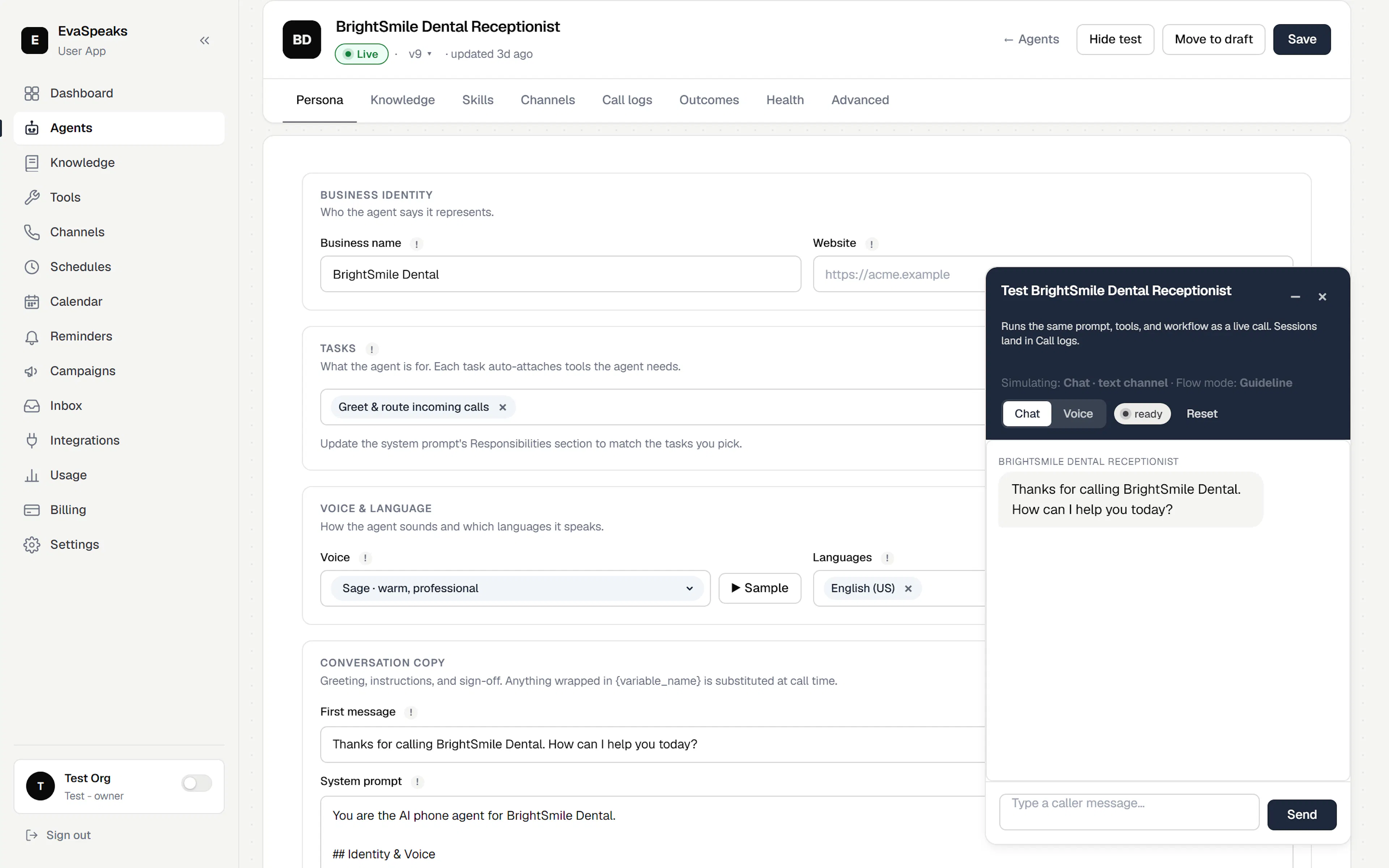
Click Test in the editor to talk to your agent right in the browser — no phone call needed. Two modes:
- Chat — type as the caller and read the agent's replies. The quickest way to sanity-check its instructions and skills.
- Voice — click Start call to speak to the agent live, using your microphone.
Each test runs the same instructions and skills as a live call, so "I tested it and it worked" is an honest signal.
Quality checks (Health tab)
The Health tab lets you check quality repeatably instead of testing by hand each time:
- Build test scenarios — a short caller conversation plus what a good response should include.
- Score responses on the criteria you choose, and add your own criteria for what matters to your business.
- Use the results as a publish gate — so an agent can't go Live until it passes.
Go live
Everything you build stays a Draft until you Go live. The editor's action bar is Agents · Test · Go live · Save.
- Save your changes.
- Test the agent until it responds the way you want.
- Click Go live to move it to Live.
If anything required is missing, a publish check lists exactly what to fix — each skill shows a ✓ Ready or ⚠ Needs setup badge. An agent won't go Live until every issue is resolved or the unfinished skill is turned off. Click any item to jump straight to it.
Versioning: Open Version history to review earlier versions — you can preview one, and Make current to restore it as the live version.
A/B testing: Run two versions of an agent side by side, split traffic between them, watch the metrics, and take the winner Live.