

Quickstart: your first agent
Build a working voice agent and take your first call — in about 15 minutes.
Quickstart: your first agent
This is the fastest path from empty workspace to a live agent taking real calls. Follow the six steps below — each one links to a deeper guide if you want more detail. You only need an agent and a phone number to go live; everything else is optional.
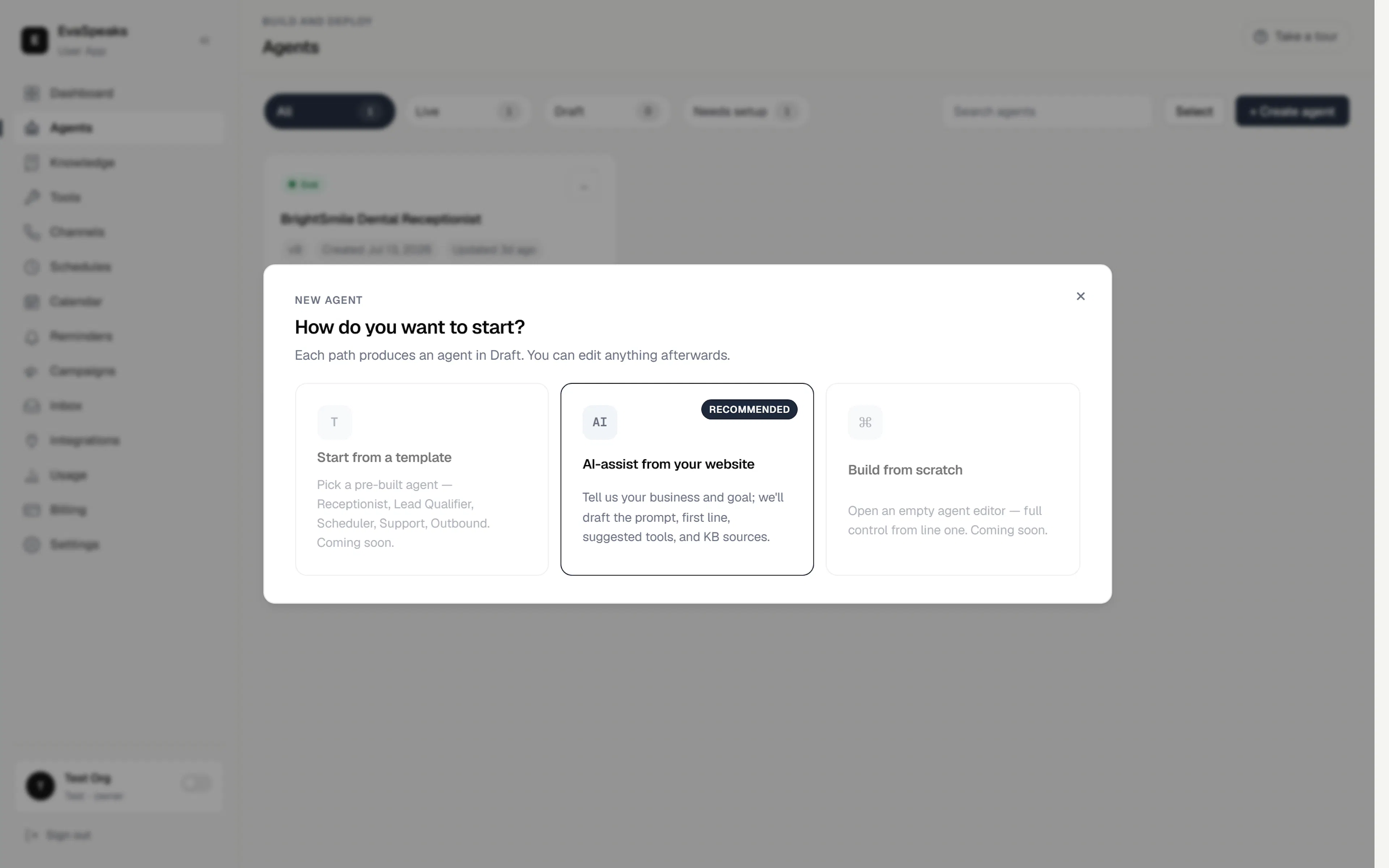
1. Create an agent
Go to Agents and click + Create agent, then choose AI-assist from your website: tell us your business and goal, and we draft the greeting, instructions, suggested skills, and knowledge for you. You can edit everything afterwards. → Build your agent
2. Give it knowledge
Add the info your agent answers from — files, pages, or a website import — so it speaks to your business, not in generalities. → Add knowledge
3. (Optional) Turn on a skill
Want it to book appointments, capture leads, or transfer calls? Enable a skill and finish its setup. → Skills & actions
4. Connect a phone number
Bind a phone number to the agent so callers can reach it. This is the one thing besides the agent itself that you must have to go live. → Connect a phone number
5. Test it
In the editor's action bar, click Test to hear the agent in the voice/chat sandbox before any real caller does. → Test & go live
6. Go live
When it sounds right, click Go live in the editor to move the agent from Draft to Live. If anything required is still missing, a publish check lists exactly what to fix first. → Test & go live
That's it — you're taking real calls. Next, add depth:
- Build your agent — shape its persona, instructions, and voice.
- Add knowledge — expand what it can answer.
- Skills & actions — let it book, transfer, and look up callers.
- Connect a phone number — manage numbers and web channels.